SolatTime for Wear OS
Prayer times and azan on your Wear OS watch
A prayer times app that works on the watch by itself. Prayer times for where you are, a countdown to the next prayer, and the azan or a vibration at prayer time, right on your wrist.
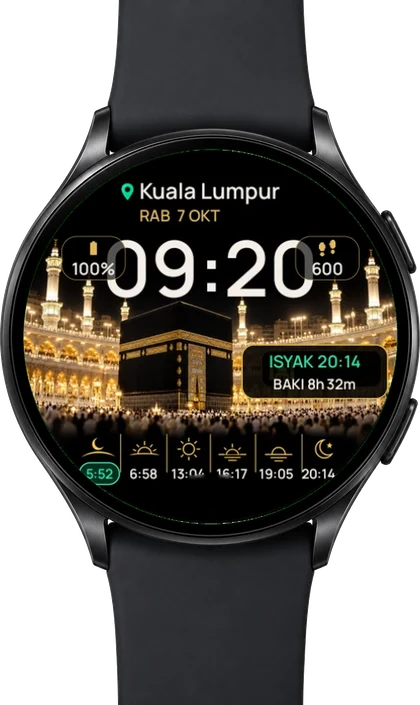
Why SolatTime on your watch
No phone needed
The watch app keeps its own timetable. The azan still comes when your phone is at home or in your bag.
Azan on your wrist
At prayer time the watch plays the azan or vibrates, as you choose.
Follows your location
Official JAKIM zones in Malaysia, the MUIS method in Singapore, the MORA method in Brunei and Kemenag in Indonesia.
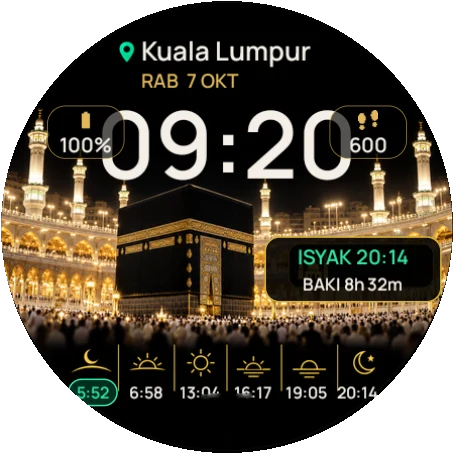
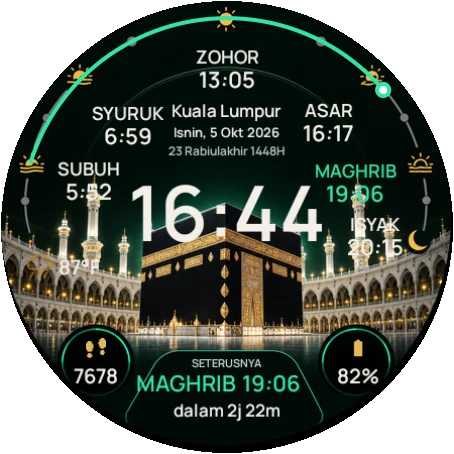
8 prayer watch faces
Baitullah, Jelas for large text, Sport, Dot Matrix, Tactical and more. The Basic face is free.
On your own watch face
Add the next prayer as a complication to the watch face you already like.
Free, no ads
The watch app is free. Extra faces can be bought one by one or all together.
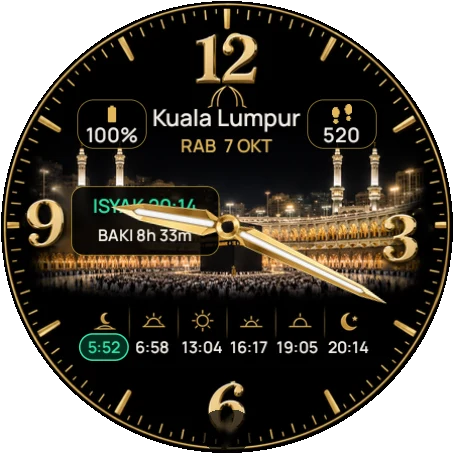
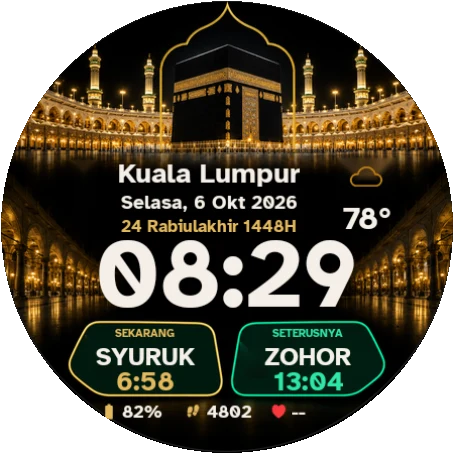
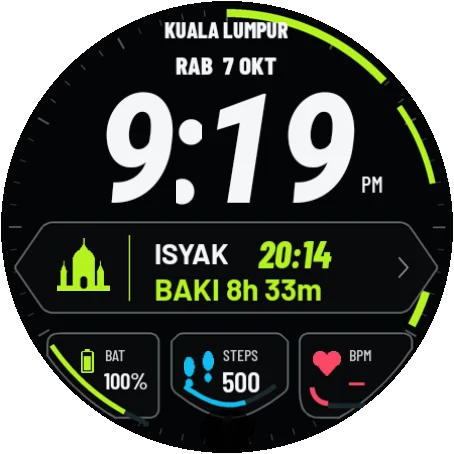
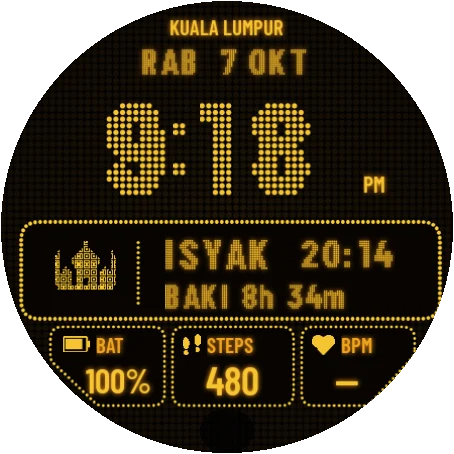
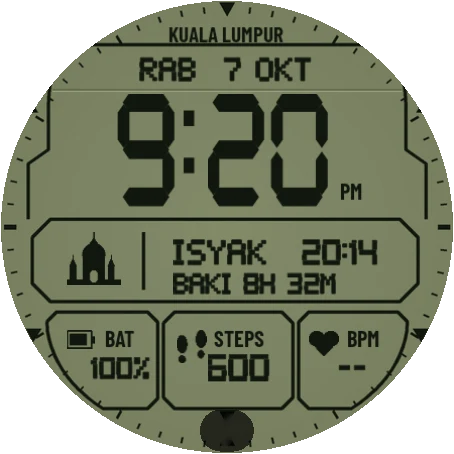
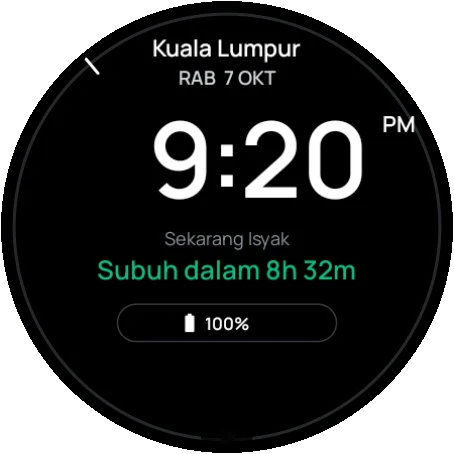
Wear OS · our strength
Prayer times on your Wear OS watch
SolatTime has its own app and watch faces for Wear OS smartwatches. Prayer times, a countdown to the next prayer and an azan vibration right on the watch, even when the phone is in your bag.
- Works on the watch by itself, no phone needed
- Vibration or azan at prayer time
- SolatTime Jelas: large text for low vision
- Samsung Galaxy Watch, Pixel Watch and other Wear OS watches
Basic face is free
Install on your watch in 5 steps
Free. Once installed, the watch works on its own even without the phone.
-
 Step 1
Install from your phone
Open SolatTime in the Play Store on your phone. Tap the ▾ arrow next to Install and choose your watch. Or search "SolatTime" in the Play Store on the watch.
-
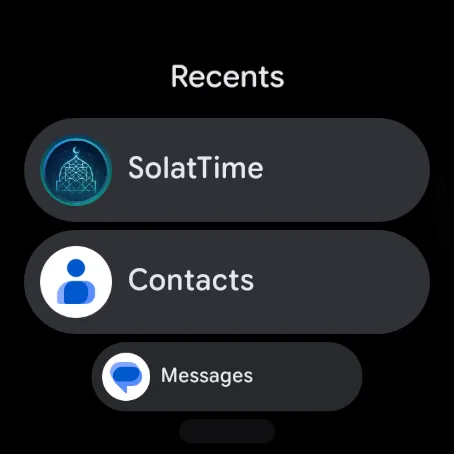 Step 2
Open SolatTime on the watch
Press the side button and pick SolatTime from the app list.
-
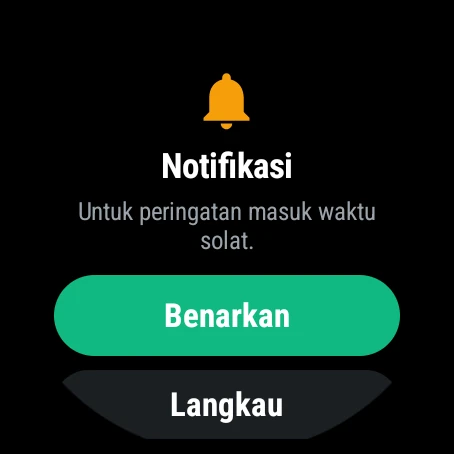 Step 3
Allow notifications
Tap Allow, so the azan and vibration can sound on the watch.
-
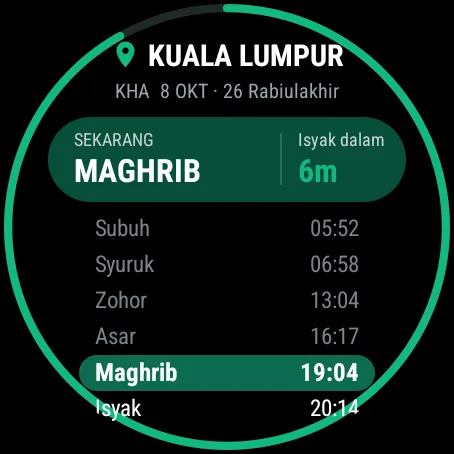 Step 4
Prayer times appear
Your zone is detected automatically. Scroll down for Watch faces and Settings.
-
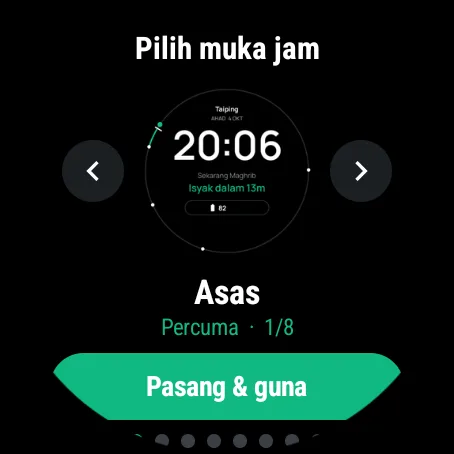 Step 5
Install a watch face
Tap Watch faces, swipe left or right and tap Install & use. The Basic face is free.
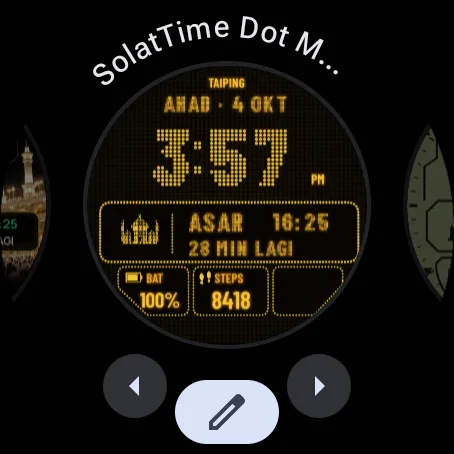
To switch faces any time: long-press the watch screen, swipe and pick a SolatTime face.
Wear OS 4 or 5 watch? You can still put prayer times on your own watch face: long-press the face, tap the pencil icon, choose a slot and pick SolatTime · Akan datang (next prayer). SolatTime watch faces need Wear OS 6.
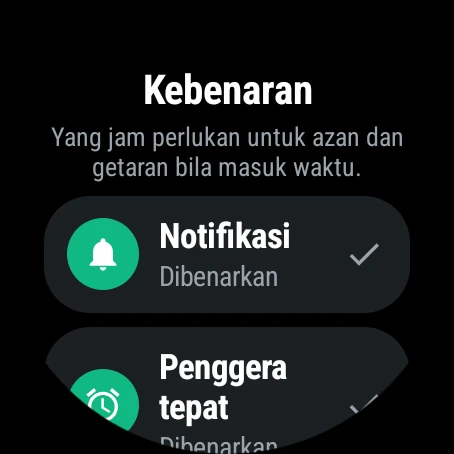
No azan on your watch?
Open SolatTime on the watch, tap Settings > Permissions and fix any row that is not green.
Supported watches
- Samsung Galaxy Watch running Wear OS 4 or newer
- Google Pixel Watch
- Other Wear OS smartwatches with Wear OS 4 or newer
SolatTime watch faces need Wear OS 6. On Wear OS 4 and 5, add prayer times as a complication to an existing face. SolatTime is not available for Apple Watch yet.
FAQ: SolatTime on your watch
Can I get prayer times on my watch without my phone?
Yes. Once installed, the SolatTime watch app keeps its own prayer timetable and plays the azan even when the phone is not nearby.
Does the azan play on a Wear OS watch?
Yes. At prayer time the watch plays the azan or vibrates, depending on your choice in the watch Settings.
Which smartwatches work with SolatTime?
Wear OS 4 or newer, including Samsung Galaxy Watch and Google Pixel Watch. SolatTime watch faces need Wear OS 6.
How do I install SolatTime on my watch?
Open SolatTime in the Play Store on your phone, tap the arrow next to Install and choose your watch. Or search for "SolatTime" in the Play Store on the watch.
Which prayer times does the watch use?
Official JAKIM zones in Malaysia, found from your location; the MUIS method in Singapore, the MORA method in Brunei and Kemenag in Indonesia.
Is SolatTime available for Apple Watch?
Not yet. For now SolatTime is for Wear OS watches. On iPhone, SolatTime has Home Screen and Lock Screen widgets.

Get SolatTime on your watch
Free on Google Play, from your phone or straight from the watch.
 Onsell.My
 MySolat.My
 SolatTime